
Adobe ColdFusion stands out as a powerful and modernized web development platform, enabling organizations to build secure, scalable, and high-performance applications with rapid turnaround. Leveraging ColdFusion Markup Language (CFML) and its JavaScript-like CFScript, developers can easily create robust, maintainable, and future-ready solutions. Modern ColdFusion offers advanced features like containerization, seamless cloud integration, and enhanced security, making it ideal for mission-critical apps across industries. Regular updates, strong community support, and backward compatibility ensure low technical debt and reduced maintenance costs compared to legacy platforms. Companies adopting ColdFusion benefit from accelerated deployment, superior reliability, and the ability to stay ahead of evolving digital demands. Discover the full potential of ColdFusion and best practices for modernization in the Comprehensive Adobe ColdFusion Guide by TeraTech.
ColdFusion language has become cool (again).
It used to be reserved for the top 1% of the crowd and for the government. Not anymore.
As the CIO of a top company, you have a responsibility to use the top-notch resources available out there. That’s Adobe ColdFusion, without a doubt.
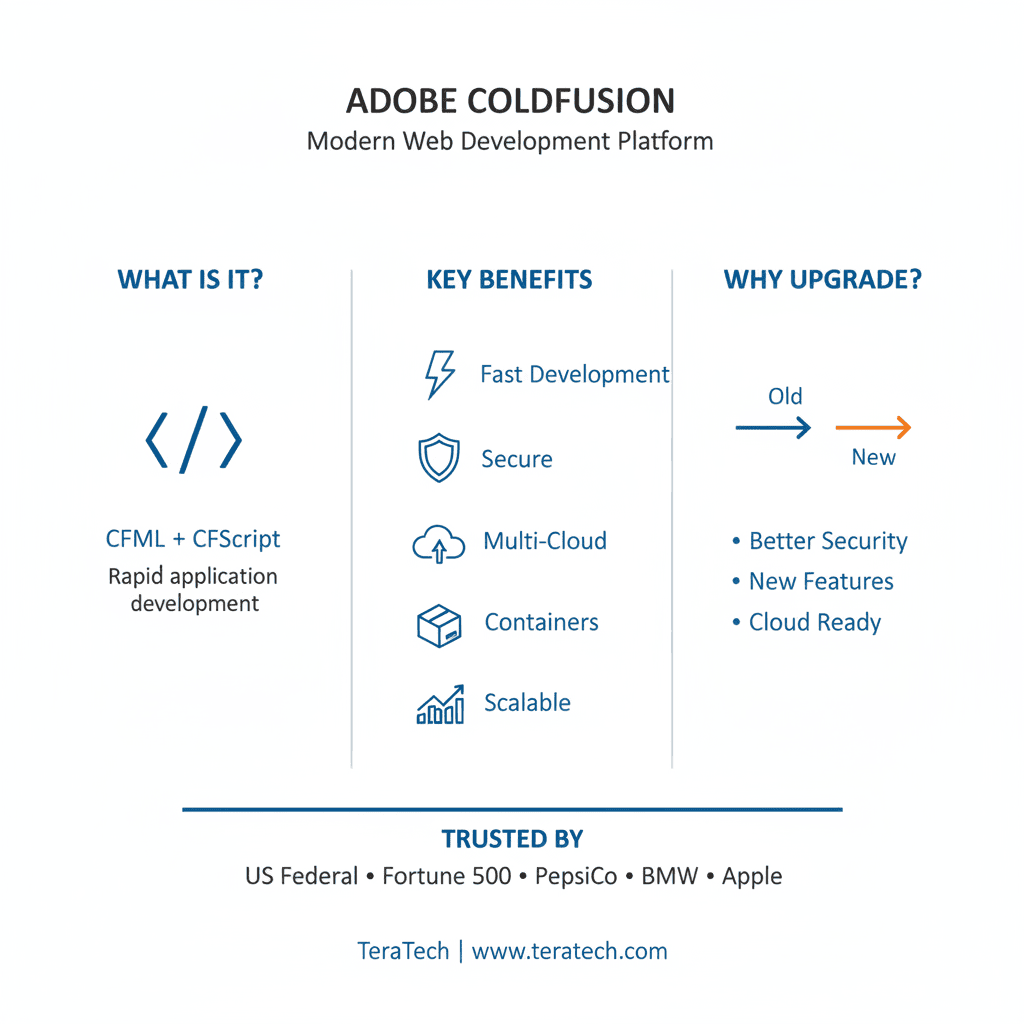
Why Adobe ColdFusion is Vital for Modern Web Development
This article answers your ColdFusion programming language-related questions. Choosing the right cold fusion programming language is one of the few decisions you can make that will have a daily impact on your department’s life. The topics we tackle include:
- What Makes ColdFusion so alive and vibrant?
- Is ColdFusion language secure?
- Is ColdFusion fast?
- How is ColdFusion evolving with the times?
- The benefits of modernizing your ColdFusion
- I’m thinking about switching to ColdFusion but…
- How ColdFusion differs from other languages
- What the future of ColdFusion looks like
- How will switching to ColdFusion make your life easier and more productive?
What is ColdFusion Markup Language?
Adobe ColdFusion was designed to be timeless. It is a development platform that uses CFML to build modern web apps quickly. ColdFusion Markup Language (CFML), often known as “a language within a language,” has CFScript, which enables you to use a syntax like JavaScript for many operations.
Elements such as:
-
CFScript
-
Comments
-
Data types
-
Escape characters
…and many more are what makes CFML so unique. These enable you to create complex applications.
How ColdFusion Markup Language Works
CFML is both a tag-based and a script-based language. Most features can be coded either way.
CF developers and experts can definitely appreciate tags. CF tags are pretty much what makes our syntax so much better than other languages.
*Fun Fact: Did you know that by definition CFML isn’t a true markup language? It’s actually more of a scripting language! Some consider ColdFusion to be a kind of “glue language”–a subset of scripting languages that helps to connect various software components.
But that’s not to say CFML and markup languages don’t have their similarities.
Tags are used to tell the CF server that it “must process the information.” They have the same format as HTML tags and are enclosed in angle brackets with zero or more named attributes.
<cfoutput>
Hello #YourName#!
</cfoutput>
CF has a wide assortment of Data Output tags, such as Cfdocument. It allows you to create a PDF or Flashpaper output from a block of CFML and HTML text.
What about CF’s debugging tags? Tags such as cfdump can be extremely beneficial. This particular tag allows you to get the element, variables, and values of most types of ColdFusion objects.
And these are just a few of the many. But that’s not all!
Built-in tags are great but what if you could create and use custom tags? Well, with ColdFusion, you can!
Custom tags are an awesome language extension provided with CF. These tags work by being regular CF files that can be invoked just like tags. The additional advantage here is that you can also use all built-in tags.
Normally, these custom tags are affixed with the standard cf prefix as the native tags. This allows for an easy introduction into your coding. Since some of you don’t know how to code in Java, using CFML is not a challenge. Tags that are written in CFML do not require you to know Java programming language.
What’s more – files aren’t the only thing you can call as a custom tag. Templates can be used as well. If a template is called via custom tag, the attributes used to invoke it are available within an attribute's scope. The variables for the calling page then can be found within the caller scope.
So, in summary:
- Tags are easy to use.
- Tags offer TONS of functionality.
- CF has about 100 built-in tags, each with their own cffunction. For example, Cfcodument creates a PDF. When deployed and combined correctly, they make coding much faster, more efficient, and cleaner.
Elements of CFML are available on the Adobe Coldfusion website.
Write modern ColdFusion with CFScript
If you consider yourself a modern programmer, then you must use the script version subset of the ColdFusion language called CFScript. It resembles other familiar programming languages like JavaScript. Because it is using a similar syntax, CFScript allows you to read and set variables, perform critical processing, and loop. One obvious difference is that only the ColdFusion server processes CFScript.
Although you can use both Tag and CFScript, keep in mind at all times to stay consistent and stick to one.
“CFScript is a language within a language. It is a scripting language that is like JavaScript but is simpler to use. Also, unlike JavaScript, CFScript only runs on the ColdFusion server; it does not run on the client system. Cold fusion code can use all the ColdFusion functions and expressions, and has access to all ColdFusion variables that are available within its scope.
CFScript provides a compact and efficient way to write ColdFusion logic. Typical uses of CFScript include the following:
Simplifying and speeding variable setting
Building compact JavaScript-like flow control structures
Creating user-defined functions.”
Taken from the Adobe ColdFusion Page.
Its similarity to JavaScriptlets allow full-stack Coldfusion developers seamlessly switch to CFScript.
Here’s an example of the CFScript from Pete Freitag:
switch(fruit) {
case “apple”:
WriteOutput(“I like Apples”);
break;
case “orange”:
WriteOutput(“I like Oranges”);
break;
default:
WriteOutput(“I like fruit”);
}
And another example from cfscript:

Is Modern ColdFusion Markup Language a myth or a reality?
Modernizing is crucial. In every business, sports, and in life in general. It’s only common sense that it should be normal for ColdFusion users as well, but it’s not. I still come across numerous problems in various companies, where CIOs don’t take into consideration that they’re in the far, far away legacy land, where bugs and hackers thrive the most.
When I ask them why they all give the same reason: “It’s expensive.” But they’re missing out on a lot of improvements.
ColdFusion language is constantly evolving to include a host of new security tools and modernized features. These improvements keep pace with and often lead the rest of the tech world.
It’d make sense to stick with ColdFusion. Every new version is a renewal of the return on investment first made when a company bought CF. Moving over to a completely different language would cost much more than modernizing.
What problems arise with using outdated CF?
Keeping your applications and hardware up to date seems like a no-brainer. In some cases, the whole process is automated, running in the background whenever necessary.
Yet so many people forget or actively neglect to keep their stuff up to date. Believe it or not, many companies still rely on a version of ColdFusion released in 2012! Why? Sometimes it’s simple forgetfulness. Others underestimate the importance of modernizing.
A lot of the time, firms or executives feel burdened by the cost of an upgrade, thinking what they already have is good enough. Well, with ColdFusion, it’s worth shelling out the extra cash.
By neglecting to modernize, you:
- Miss out on new tools and innovations which keep CFML ahead of other languages.
- Leave your company vulnerable to security problems that are fixed with new updates.
Most CF users who are hacked admit it’s because they used software that wasn’t patched or had vulnerable ColdFusion code, according to the State of the CF Union 2019. - Add to the technical debt your company has to overcome, as old code piles on until they become a tangled mess.
People who neglect to update their ColdFusion face all of these headaches… and then blame the platform! It’s like neglecting to maintain your car then blaming the vehicle when it inevitably breaks down.
If you ever hear the misguided notion that ColdFusion is old, outdated, or dying, you may be speaking to someone who hasn’t upgraded their CF in years.
Moving from old code into the modernized ColdFusion language
Everyone who has seen the hell of old legacy code in ColdFusion applications will know what I am talking about.
Non-framework code, spaghetti code, duplicate code, or unused code (Deadwood)… it’s all the same. Efficient maintenance is a thing of the past, and code usefulness is gone.
How do you move from that legacy hell to the heaven of modern CFML with easier maintenance and deployment, fewer bugs, and streamlined ColdFusion code?
To those still holding back, here are a few reasons why modern ColdFusion code is heaven compared to legacy.
- Easier Maintenance – Simple and clean ColdFusion code structures help make everyday tasks a breeze.
- Rapid Deployment – Everyone wants to deploy changes and make future requirement changes to your application quickly and easily. When your code is solid, nothing is keeping you from making quick work of your tasks.
- Fewer Bugs – Finding and fixing bugs will be much easier. You’ll think you found your virtual can of insect spray!
- Modern, Responsive Front-End – It works on both mobile and desktop browsers seamlessly.
I am going to assume that by now it is obsolete to talk further about why you should do this.
Related: How to Move from Legacy Code to Modern CFML
The benefits you will receive in ease of maintenance and deployment, along with fewer bugs will be refreshing. The money you save in the long run will more than make up for the little you spend upgrading your applications. You will wonder why you didn’t make the change long ago!
We’re now living in a new, more stable era for programming languages. No more of those crazy 90s. Today’s widely-used programming languages, including ColdFusion, will probably be around much longer than their ancestors.
Picking the right language from the beginning has become more critical than ever. When choosing the best language for yourself, ask yourself these questions:
- Is it modern?
- Does it evolve with the times?
- Does it get consistently updated?
- Will you get the benefit of a supportive community?
- Is it secure?
With ColdFusion code, the answer to all those questions is an easy “yes!”
Modernization is not a destination
To explain IT modernization, you need to understand what IT modernization is not. Modernization is not a destination. It is not an achievable concrete goal. IT modernization is a never-ending journey.
Modernization is more than just updating your servers and versions–although those are important to do. It involves changes in your technologies, employees, processes, talents, and strategies. There are many reasons why companies don’t modernize. Lack of resources. The time required for new training. Yet, the number one reason CIOs and companies don’t modernize is fear of change.
Does that mean you shouldn’t take the first step though? Hell no.
Software and IT technologies will not slow down for you or your business. Do not slow down for them either.
Most people, in general, choose to stay in their comfort zones. Why budge if what you have is still working? Besides, learning something new without knowing the benefits can be off-putting. But it’s worth investigating. ColdFusion Conferences, such as the CF Summit or CF Camp in Munich are great opportunities to learn more about the modernization journey you should take with your CFML.
Why modernize in the first place? Modernization will help your business. Plain and simple. One of the first processes to modernization is to the cloud. Not just one cloud either. Studies have shown that smoother operation and deployments of your IT demands come from a hybrid cloud. This hybrid cloud can be made up of multiple public clouds, a private cloud, and possibly a legacy cloud comprised of a company’s legacy estate. This not only allows for smooth operations but also cuts down the cost of maintaining and operating private servers–both legacy and modern.
Aside from cloud computing, Agile methodologies and DevOps are helping modern companies to pick up the pace of their IT change. CIO.com explains DevOps as:
“DevOps uses cross-functional teams aligned by business services. The teams are responsible for the entire stack that was delivered in shared services. They are persistent teams, staying with the firm throughout its transformation journey, rather than moving on to other projects. DevOps teams are also located in close proximity with the business teams to enhance collaboration and increase speed. Unlike shared services units, which focus on low costs per function, DevOps focuses on business impact at speed. Consequently, as companies take the DevOps journey, they use dramatically fewer resources to deliver services.”
Related: Real World Scenarios for Modern CFML
What are the main benefits when modernizing your software?
Conversations about upgrading usually follow the cost-benefit pattern that surrounds all expenditures.
Yet few compare the short-term cost (the money you spend on the latest version of ColdFusion) versus the long-term savings.
Here’s a table to help:
Short-term costs |
Long-term savings |
| The latest version of ColdFusion, about $2,500 – $9,500 depending on what edition you purchase | Full-on support from Adobe (upon request) |
| A couple of minor, relatively painless adjustments to existing codes | The latest patches and security updates, so your company doesn’t worry about hacks |
| Time spent letting staff learn all of CF’s new features and tricks | Less legacy code and technical debt |
| Latest solutions and tools which your team would otherwise have to write themselves | |
| Less time and money spent on maintaining old, outdated code | |
| Performance and maintenance features which shortens the amount of time you spend tuning your code |
These are just some of the pros and cons of upgrading to the latest version of ColdFusion.
Ditching ColdFusion and switching to another programming language won’t help. Applications don’t switch over to another programming language easily.
By my estimates, a company could spend close to six-digits, perhaps even crossing the $1 million threshold, if it decided to switch all several years-worth of code from ColdFusion to another language.
Comparing ColdFusion and other languages
Some Adobe ColdFusion facts and stats

When compared to other programming languages, CF comes across as a veritable digital fortress. With amazing built-in security capabilities and experts such as Freitag leading the charge, ColdFusion will continue to remain second-to-none in this area.
Key points to consider when comparing Coldfusion with other languages
- Price
- Syntax ease of use
- Security
- Cross platform and mobile development
- PDF and Document Support
- Operating System Limitations
- Object-Oriented Programming
These CVE Details reports specify the number of critical vulnerabilities in comparison with other languages.
- 5 Reasons Why Adobe ColdFusion is Better Than C#
- http://www.cvedetails.com/vendor/74/PHP.html
- http://www.cvedetails.com/product/1526/SUN-JRE.html?vendor_id=5
- https://www.cvedetails.com/product/19117/Oracle-JRE.html?vendor_id=93
- http://www.cvedetails.com/product/887/Apache-Tomcat.html?vendor_id=45
- https://www.cvedetails.com/product/2002/Microsoft-.net-Framework.html?vendor_id=26
- https://www.cvedetails.com/product/22568/Rubyonrails-Ruby-On-Rails.html?vendor_id=12043
It’s funny how a language as strong and secure as ColdFusion gets pushed aside in favor of other languages. What do you think the number one cause of this phenomenon is?
Why would you want to switch anyway?
You’re considering the switch to CF but are wondering, “What will I gain?” Your company may be using PHP or Java with just-fine results. Why bother changing?
Your IT department could also work better, and ColdFusion allows that in several ways.
Switching an entire programming language of your company’s app is a big shift. Its demands a sea change in your team’s common language, mindset, and workflow. Also, it’s something of a pain if done wrong.
When choosing a programming language for your next project, consider these factors:
- Efficiency
- Scalability
- Cost
- Capability
Your mind as a CIO naturally wanders to the technical aspects of using ColdFusion. You may worry about ColdFusion’s limitations. That’s normal. On a practical basis, your employees will mostly deal with ColdFusion in a direct way using a keyboard and screen. But from a holistic standpoint, using CF affects the more wishy-washy parts of work.
ColdFusion is still alive!
Don’t mind the naysayers. They’re hung up on the few misusers and abusers of ColdFusion, who blame the programming language for their own negligence. They either accumulate too much technical debt and decide it’s better to scrap everything. Or they do not take advantage of containers to test their code before letting it out into the wild. But the stragglers may be the worst.
A lot of developers and CIOs, for various reasons, do not upgrade to newer versions and miss out on improvements. They’re letting zombified ColdFusion programming language wander the tech world, dragging down the perception of ColdFusion, and leaving it open to vulnerabilities fixed in later updates.
Hiring ColdFusion developers could also be a good option if you want assistance and consultation.
Related: What makes Adobe Coldfusion Still Alive
Coldfusion is the perfect tool for creating a dynamic website, thus creating the best advantage for its users. It’s considered an innovative tool that can provide maximum results for clients; whether it’s a small business or a huge company.
A developer or member of the operations team fearing a switch to CFML is often fearing the unfamiliar. You’ll find, over time, that many of CFML’s naysayers are people who’ve never used the language. Or ditched it in a huff when something else was briefly en vogue. Most CFers have tried the language once, and stuck with it ever since.
Besides, any worries about taking on ColdFusion are silly. It’s one of the easier-to-learn programming languages around!
Related: Learn ColdFusion Fast
Adobe Coldfusion can assure a higher value and meet any performance demands as any other programming language out there. The fact that the majority of US Federal services still use ColdFusion as well as Pepsico, BMW, Apple, and other Fortune 500 companies internally, tells a lot.
ColdFusion makes your life easier and more productive
First, you do get super fast project turn around with Adobe ColdFusion. It specializes in rapid deployment, making your projects and updates a reality in no time. It does this through tools such as Docker, using virtual containers to let you write and test code almost simultaneously.
5 of my favorite features are:
- Maintenance
- Scalability
- Security
- Reliability
- RAD
- ColdFusion DevOps and Containers
ColdFusion Markup Language Maintenance
CF is less prone to bugs. Monitoring tools built into CF can detect failures, performance, and security issues before they’re released out “into the wild.” It’s a virtually self-correcting code.
Scalability
By growing your business, there are some obstacles on the way. Adobe ColdFusion won’t be one of them. Performance tuning and load testing at regular intervals will make sure your app and servers can handle that growth, letting your product updates and new ideas quickly become money-makers.
Leading an IT operation is uniquely problematic: too often, you can fall victim to your own success. And your popularity could lead to your downfall.
It seems ideal: being so popular, people are breaking down doors to get to your service or app. Yet high demand for your outrageously awesome product or service causes a spike in traffic and can crash the whole application.
ColdFusion can deal with your popularity. (Don’t worry, it won’t get jealous.)
Scaling your app and server infrastructure to handle your popularity is far easier with ColdFusion. The CF programming language’s ease and ability to evolve means your IT department can scale up an app or database faster, and with fewer errors. By developing good habits within your IT department, similar to the reliability tips listed above, you can make sure your company’s growth and popularity won’t cost it a pretty penny.
Security
Keeping a tight grip on security measures is pivotal to keeping CF alive. Nobody wants to use a very insecure development platform. With the modernization of Adobe ColdFusion, we are witnessing some major improvements in many fields. Security is just one of many. Auto Lockdown features and containerization are two examples out of many.
Security concerns are an important part of any programming language. No platform is 100% secure. But there are many tools and best practices out there to help you be as secure as possible.
With new releases of CF, come more and more security improvements, such as:
- Auto Lockdown
- Official Lockdown Guides
- Security Code Analyzer
- Maintain Consistent Server Architecture
- Clean up unused deadwood code
- Use CF Security Tools
- Reliability
- Scalability
- Containerization
- Going cloud
- Flexible Container Cloud Hosting
- Modern Testing Environment
There are multiple advantages in switching to ColdFusion as soon as possible. Here are a few just to get you started.
Reliability
It’s every CIOs worst nightmare: the unexpected. When we talk about reliability, we’re really saying, “No surprises, please!”
This goes beyond the usual daily catastrophes. Like the key employee who gets poached by a competitor. Or the new orders from up high. Cutbacks, expansions, reorganizations. With all the headaches you face, at least a line of code should work as expected. Right?
Reliability is the cornerstone for all of ColdFusion’s features. One of its biggest draws is ensuring it can handle much of what you’ll throw at it. CF includes many tools, with error handling stops, clustering, and regular updates, which prevents your code from toppling onto itself. These stopgaps ensure your company’s ambitions won’t get the best of you. ColdFusion will let you push it to the max, but will also warn you when you’re overdoing it.
These tools, combined with basic IT common sense such as defensive coding, load testing, and beefed up server specs will make sure your ColdFusion server withstands long, tough stretches of high demand. So you can worry about more important things. Like what to do when your app is more popular than expected.
RAD
The time it takes to transform an idea into a working, testable beta version is vital to any IT operation’s success. The difference between six weeks and six months for an application to emerge could mean the difference between your service coming to market, or a competitor jumping ahead of you in line. But don’t worry, ColdFusion’s got your back.
Rapid Application Development, or RAD, is one of ColdFusion’s key strengths. CF uses elegant, easy-to-learn code to help a developer turn an idea into reality faster than he or she could with other languages. Readymade lines of code mean your developers won’t waste precious time creating something already exists. This means fewer keystrokes wasted on commonly-used code.
Other languages require multiple lines of coding made from scratch. It’s like a plumber having to forge his own wrench. CFML comes ready-to-use like a well-supplied toolbox. It uses simple tags to trigger existing lines of code for common commands. Programming in CFML means you write less code, yet achieve the same result.
Don’t confuse this as a cookie-cutter approach, though! ColdFusion still has all the room and freedom for customization you have with any other code. Think of it more like an autocomplete tool built into a programming language. You don’t necessarily have to use the suggestions provided, but they can make life easier.
This RAD approach makes developing your app quicker and easier. From inception to development to testing. With ColdFusion, you’ll be releasing your app out into the wild much sooner. No other programming language, not Java or PHP, can beat it.
ColdFusion DevOps and Containers
Let’s say you’ve got a vision for an app, and two disparate teams (eg: development and operations) set on making it a reality. The old fashioned method would be to send each team to work in a vacuum, then they’d come together and turn the two resulting halves of the project into a Frankenstein’s monster of an app. It’d work, sure. But, boy was it ugly.
Wait, there’s a better way. At least with ColdFusion. The DevOps model will become a standard within the IT industry, and Adobe ColdFusion fits it like a well-tailored suit.
This model allows development and operations teams to work in tandem when creating a new app. ColdFusion essentially has labs where lines of code can be tested under real-world conditions. Sounds pretty neat, right? It’s called “containerization.”
Containerization helps speed along the development process by running your application in virtual “containers,” where you can watch bits and pieces behave on their own and interact with others. Tweaks can be made quickly, and bugs show their ugly faces in an environment where they can be squashed and discarded well away from your customers. It’s a perfect way to get all the tougher, rougher parts of app development done in a safe environment. Besides, you want to find the weaknesses in your code before your users do, right?
One of the best parts about using ColdFusion (or Lucee for that matter) is the ease of use. CFML is a language that is capable of many things, but it’s simple to use. Ever stop and wonder why?
It’s because of a state-of-the-art tools and third-party support integration. They are:
- Containerization Tools
- Source Control Tools
- Benefits of Using Git
- Code Tools and IDEs
- Code Reuse
- Monitoring Tools
- Caching Solutions
- Build REST APIs and Microservices
- ColdBox
- CommandBox
I wrote in-depth reviews of these tools in another blog post and you can read it here.
Reasons why CFers are upgrading
- Easy multi-cloud coding
- Microservices support for better app scaling under load
- Loads of new CFML Language features
- IIFE (Immediately Invokable Function Expressions)
- Lambda
- Rest and spread operators
- Parallelism
- Destructing assignment
- Identity operator
- Dynamic switchcase
- Iterator support
- more Java integrations
- “CFScript 2.0”
- 30 – 45% faster than CF 11 or CF 2016 respectively.
- (Plus CF 11 is End of Life and CF 2016 goes EOL in 4 months!)
- Super secure
- Backwards compatible with most old CF code
- Scriptable CF Admin for automating deployments
Need to hire a ColdFusion developer?
Meet the previous release of Adobe ColdFusion family
You get to choose which one works best for you.
Adobe ColdFusion Enterprise and Adobe ColdFusion Standard. Make sure to decide based on functionality and long-term costs planing, instead of only calculating “what’s it gonna cost me to buy it?”.
There’s a wide range of options that Adobe offers in ColdFusion Enterprise only, and not in the Standard edition.
Follow the link to Adobe ColdFusion Family Buying Guide for the full specification
Frequently Asked Questions About Adobe ColdFusion
What is Adobe ColdFusion?
Adobe ColdFusion is a commercial rapid-web-application development platform that uses CFML (ColdFusion Markup Language) and CFScript to build secure, scalable web applications. It accelerates deployment, lowers maintenance overhead, and integrates with modern cloud and container technologies like Docker and Kubernetes.
Sources: Adobe ColdFusion Official | Wikipedia: CFML | TeraTech: What is ColdFusion
Is ColdFusion still alive and actively developed today?
Yes, ColdFusion is very much alive and actively developed. Adobe continues to release regular updates, with new features for cloud integration, containerization, performance enhancements, and security improvements. Major companies including US Federal services, PepsiCo, BMW, and Apple continue to use ColdFusion for mission-critical applications.
Sources: Adobe: What's New in ColdFusion | TeraTech: Is ColdFusion Dead? | State of CF Union 2025
What is CFML and how does it differ from CFScript?
CFML (ColdFusion Markup Language) is both a tag-based and script-based language. CFScript is a script-based syntax within CFML that resembles JavaScript, enabling developers to write cleaner and more maintainable code. While CFML uses tags enclosed in angle brackets similar to HTML, CFScript uses a JavaScript-like syntax for operations, loops, and functions. Both approaches can achieve the same results, but developers should stay consistent with one style.
Sources: Adobe: About CFScript | Adobe: Elements of CFML | Pete Freitag: CFScript Cheatsheet
Why should I modernize my ColdFusion applications?
Modernizing unlocks new features including cloud support, containerization, and performance enhancements. It reduces legacy code debt, strengthens security with Auto Lockdown features, and provides access to enhanced DevOps capabilities. Outdated ColdFusion versions can suffer from critical security vulnerabilities, compatibility issues, and degraded performance. The long-term savings in maintenance and security far outweigh the upgrade costs.
Sources: TeraTech: ColdFusion Modernization | Moving from Legacy to Modern CFML | Adobe: CF 2025 Updates
What problems arise from using outdated ColdFusion versions?
Using outdated ColdFusion can lead to critical security vulnerabilities, compatibility issues with modern systems, degraded performance, lack of support for new features, increased technical debt, higher maintenance costs, and exposure to unpatched exploits. Many companies still using versions from 2012 or earlier face these challenges unnecessarily and often blame the platform rather than their failure to upgrade.
Sources: State of CF Union 2025 Results | Adobe: CF Security Updates | TeraTech: ColdFusion Security
How does ColdFusion compare to PHP, Java, and other programming languages?
ColdFusion typically allows faster development cycles, simplified syntax, and built-in features like PDF generation, API integration, and database connectivity. It offers Rapid Application Development (RAD) advantages, requiring fewer lines of code to achieve the same results as other languages. According to CVE Details reports, ColdFusion has significantly fewer critical security vulnerabilities compared to PHP, Java, .NET Framework, Ruby on Rails, and Apache Tomcat.
Sources: CVE Details: PHP | CVE Details: Java | TeraTech: CF vs Other Languages | ColdFusion vs Java
Is ColdFusion secure for enterprise applications?
Yes, ColdFusion is highly secure when properly maintained. Modern versions include Auto Lockdown features, enhanced security tools, regular security patches, and built-in protection against common vulnerabilities. According to CVE Details reports, ColdFusion has significantly fewer critical vulnerabilities compared to PHP, Java, and other popular platforms. The key is keeping your ColdFusion version up to date and following security best practices.
Sources: TeraTech: Top 5 Security Issues Solved | CVE Details Database
What is Rapid Application Development (RAD) in ColdFusion?
RAD is one of ColdFusion's key strengths. CF uses elegant, easy-to-learn code with readymade lines for common commands, allowing developers to transform ideas into working applications faster than with other languages. Simple tags trigger existing code, meaning you write less code yet achieve the same results. This significantly reduces development time from inception to deployment, with some projects completing in weeks rather than months.
Sources: TeraTech: ColdFusion Development | Adobe ColdFusion Developer Guide | Real World Scenarios for Modern CFML
Does ColdFusion support DevOps and containerization?
Yes, ColdFusion fully supports modern DevOps workflows including Docker containers, CI/CD pipelines, and cloud integration. Containerization allows you to test code in virtual environments before deployment, enabling development and operations teams to work in tandem. This speeds up the development process while catching bugs in safe environments away from production users.
Sources: Docker Official | AWS: What is DevOps | TeraTech: State-of-the-Art Tools | CF Alive: Modern Development
How much does Adobe ColdFusion cost?
Adobe offers two main editions: Standard and Enterprise. Typical pricing ranges from approximately $2,499 for Standard up to $9,500 for Enterprise, depending on edition and usage requirements. For current specifications and licensing details, visit the Adobe Download & Licensing page. When choosing, consider both functionality needs and long-term costs rather than just initial purchase price.
Sources: Adobe ColdFusion Buying Guide | Adobe: Downloads & Licensing | TeraTech: ColdFusion Consulting
Is ColdFusion difficult to learn?
No, ColdFusion is one of the easier-to-learn programming languages. Its tag-based syntax is similar to HTML, and CFScript resembles JavaScript, making it familiar to web developers. The language is designed for ease of use with built-in functions that reduce the amount of code you need to write, accelerating the learning curve. Most developers can become productive with ColdFusion within weeks.
Sources: TeraTech: Learn ColdFusion Fast (16 Resources) | Adobe ColdFusion User Guide | Modern CF E-Course
What are custom tags in CFML?
Custom tags are language extensions in ColdFusion that allow you to create reusable components. They are regular CF files that can be invoked like built-in tags, with the advantage of using all built-in tags within them. Custom tags written in CFML don't require Java programming knowledge, making them accessible to all CF developers. They can be used to encapsulate complex functionality and promote code reuse.
Sources: TeraTech: CF Tags Resources
Can ColdFusion scale for high-traffic enterprise applications?
Yes, ColdFusion is designed for enterprise scalability. It handles high-traffic applications through clustering, load balancing, performance optimization features, and built-in monitoring tools. The platform's ease of evolution means IT departments can scale applications and databases faster with fewer errors. Major Fortune 500 companies and US Federal services rely on ColdFusion for mission-critical applications that serve millions of users.
What's the difference between ColdFusion Standard and Enterprise editions?
Enterprise edition offers advanced features not available in Standard, including server clustering for high availability, advanced caching mechanisms, Performance Monitoring Toolset (PMT), enhanced security features, support for high-availability configurations, and advanced integration capabilities. Standard edition is suitable for smaller deployments, while Enterprise is designed for mission-critical, high-traffic applications.
Sources: Adobe ColdFusion Buying Guide
What benefits does upgrading to the latest ColdFusion version provide?
Upgrading brings significant performance gains, language enhancements, expanded cloud and container support, improved security patches, new features for modern development, better DevOps integration, reduced technical debt, and access to the latest tools and frameworks. The long-term savings in maintenance, security, and developer productivity far outweigh the upgrade costs.
Sources: TeraTech: Adobe ColdFusion 2025 | Adobe: What's New
Does ColdFusion support multi-cloud deployment?
Yes, modern ColdFusion versions fully support multi-cloud deployment strategies. You can deploy to AWS, Azure, Google Cloud, or hybrid cloud environments combining public and private clouds. This flexibility prevents vendor lock-in and allows you to choose the best cloud platform for your specific needs while maintaining smooth operations and cost efficiency.
Sources: CF Alive: Multi-Cloud Roadmap | CF Alive: Modern Architecture | AWS: DevOps Guide
How does ColdFusion handle legacy code migration?
ColdFusion offers excellent backward compatibility, making migration from legacy code to modern CFML more manageable than switching to a completely different language. The process involves moving from non-framework spaghetti code to modern frameworks like ColdBox, implementing best practices, and utilizing modern features while maintaining functionality. This approach typically costs under $100,000 compared to $1 million+ for rewriting applications in another language.
Sources: CF Alive: Migrating Legacy CFML | TeraTech: Legacy to Modern CFML
What major companies use ColdFusion?
Major organizations using ColdFusion include the majority of US Federal services, PepsiCo, BMW, Apple, and numerous Fortune 500 companies. These organizations rely on ColdFusion for mission-critical applications due to its security, reliability, scalability, rapid development capabilities, and proven track record in enterprise environments.
Sources: TeraTech: Case Studies | What Makes ColdFusion Still Alive
What built-in features does ColdFusion provide?
ColdFusion provides extensive built-in features including PDF generation and manipulation (cfdocument, cfpdf), spreadsheet operations (cfspreadsheet), database connectivity, API integration, email handling, file management, image manipulation, charting, reporting, caching, session management, and security features. These built-in capabilities eliminate the need for third-party libraries and accelerate development.
How does ColdFusion support modern development practices?
ColdFusion supports modern development practices through Docker containerization, CI/CD pipeline integration, RESTful API development, microservices architecture, cloud-native deployment, automated testing frameworks (TestBox), dependency management (CommandBox), MVC frameworks (ColdBox), and integration with modern IDEs like VS Code. These capabilities align with Agile and DevOps methodologies.
Sources: CF Alive: API Manager | Ortus Solutions: ColdBox Framework | CF Alive: Code Quality Tools



