Do you have issues with scope creep or requirements?
Are you concerned about users accepting your new apps?
Do you want protect your organizations reputation for quality on the web?
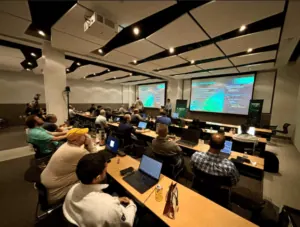
Then join us for this free webinar with TeraTech's Michael Smith and learn seven ways ColdFusion projects may fail and what to do about it.
In this webinar we look at seven different ways ColdFusion projects fail - from outright disasters, through project deadmarches to more subtle forms of failure that you might not notice until it is too late. By learning how projects fail and what to do about these issues you stand a better chance of having your projects succeed!
"I have occasionally been tempted to adapt from Anna Karenina and note that happy software projects are all alike but each unhappy project is unhappy in its own way. On the other hand, some of Tolstoy's critics do say that he got it quite backwards and that the bad stuff is very predictable." - Anonymous CF Project Manager
We will look at the following issues (and ways to solve them!)
Scope creep and requirements
Buggy peopleware
Lack of user and executive management support
Poor planning and milestones
No vision and objectives
Incompetent Staff
Poor testing and deployment practices
We will also look at your questions and problems during the Q&A.
This webinar is with Michael Smith, CEO of TeraTech, a ColdFusion consulting and server tuning company founded in 1989. Michael has presented at over 50 conferences and user groups and written over 20 articles on ColdFusion. He started the CFUnited conference and ran the Maryland ColdFusion User Group for many years. Connect on LinkedIn with Michael
TeraTech delivers custom ColdFusion apps on budget and on time every time. We ask the right questions, bringing issues to light immediately and break projects down into manageable pieces. We pride ourselves in writing code to standards and doing developer code review to ensure the quality and simplicity of code. The goal of every project is to hand over a program that is maintainable and sustainable by our clients. Our ideal client is an organization with over 100 employees and has ColdFusion apps that are built and faltering or need to be built. They appreciate outsourcing work to take advantage of an outside perspective and talented developers to get projects done quickly.
When a ColdFusion project is out of control or going to miss its deadline, we are brought in to put out the fire, get the project on track and get it finished on time. When a ColdFusion server crashes, we are called in to resuscitate it and bring it back to life. (Ideally, we are brought in before crashes happen!). Follow us on LinkedIn
The webinar on "7 ways ColdFusion projects fail" is on Wednesday, May 1st, 2013 1:00 pm - 2:00 PM EDT. The webinar will cover seven ways ColdFusion projects fail and what you can do about it. It will be approximately 60 minutes including time for Q and A. The webinar is free. You can register at https://www1.gotomeeting.com/register/643109128 See you there!
System Requirements
PC-based attendees
Required: Windows® 7, Vista, XP or 2003 Server
Mac®-based attendees
Required: Mac OS® X 10.5 or newer
Mobile attendees
Required: iPhone®, iPad®, Android™ phone or Android tablet
This entry was posted on April 22, 2013 at 4:49 PM and has received 832 views. There are currently 0 comments.
Print this entry.
Are your ColdFusion applications running slow or even crashing the server?
Are you concerned about what increasing load will do the the reliability of your application?
Do you want to protect your organizations reputation for quality on the web?
Then join us for this free webinar with Intergral's David Stockton and learn how to keep your ColdFusion servers alive and performing to their full potential. And when your server is crashing or running slow find out how to figure out what is going on and solve the problems fast so that your apps can be running reliably.
If your server is slow or sick this webinar is for you! We will look at how to diagnose problems and some common ways to heal a sick ColdFusion server. We will also discuss what tools you can use to prevent problems from occurring.
This webinar is with David Stockton, technical consultant from the FusionReactor professional JVM and ColdFusion server monitor team. David has been using ColdFusion for more than 9 years and has spoken on server tuning and load testing many times.
He will demonstrate how to:
continuously monitor and gather metrics on your production servers
diagnose server and application issues
keep servers alive with unattended monitoring
We will also look at the FusionAnalytics ColdFusion Application and server analysis tool.
better server sizing business decisions
improve application performance
improve code quality
measure exactly how your applications are performing over time
We will raffle off one copy of FusionReactor - you must register to enter this raffle.
The webinar on "Preventing and diagnosing ColdFusion server crashes and slow downs" is on Thursday, November 29, 2012 3:00 PM - 4:00 PM EST. The webinar will cover fixing slow servers, performance bottlenecks location and diagnosis tips. It will be approximately 45 minutes including time for Q and A. The webinar is free. You can register at https://www1.gotomeeting.com/register/242091952 See you there!
David started his career developing desktop applications using Visual Basic. After a period of working on interface design and prototyping for digital television set-top boxes, he made the move to web applications and working with ColdFusion in a variety of fields, from e-commerce to social networking.
In 2006 David joined the team at Intergral Information Solutions, makers of FusionReactor, FusionDebug and FusionAnalytics. David holds a senior consulting position for the Intergral UK team. David graduated from Staffordshire University with a Bachelor of Engineering degree (with honours) in Software Engineering.
System Requirements
PC-based attendees
Required: Windows® 7, Vista, XP or 2003 Server
Mac®-based attendees
Required: Mac OS® X 10.5 or newer
Mobile attendees
Required: iPhone®, iPad®, Android™ phone or Android tablet
This entry was posted on November 14, 2012 at 11:04 PM and has received 1800 views. There are currently 1 comments.
Print this entry.
What will you be doing in IT next year? What about in five years? Gartner Tech Trends show dramatically increased complexity, virtualization, smart "things" and IT demand by 2017.
At a Gartner Symposium IT Expo session last week, analyst David Cappuccio listed 10 “critical” trends and technologies impacting IT for the next five years. The convergence of cloud, big data, social and mobile were top of the list.
Organizational entrenchment and disruption
Software-defined networks
Bigger data and storage
Hybrid cloud services
Client and server architectures
Internet of things
IT appliance madness
Operational complexity
Virtual data centers
IT Demand: Every year
Server workloads growth 10% a year.
Network bandwidth demand growing 35%.
Storage capacity, 50%.
Power costs growth, 20%.
Throwing more capacity at demand is not the solution; you need to optimize capacity in new ways: virtualization, data deduplication, etc. Over 1.5 billion Web pages are accessible, 450,000 iPhone apps, over 200,000 Android apps, 10,500 radio stations, 5,500 magazine. All drives demand for IT.
Article at Forbes on the Gartner top 10 tech trend gives these details:
Organizational entrenchment and disruption: By 2014, 30% of organizations using SasS will revert back to on-premise due to poor service levels. There’s significant growth in IT complexity. Faster change cycles. Shorter development timelines. Reduced budgets. We need 24/7/365 global IT support. End users are driving IT; end users demanded access to iPads. Same with iPhone, and other smart phones. End-users are driving IT to make change. There’s also a “skills shift,” with many people retirees, and new set of skills required of newer employees.
Software defined networks: A new way to operate networks, in which control of the networks moves into an OS. It moves control from individual devices to a central controller. Allows configuration of the network from one place. “Think of it as virtualizing your network,” he says. Location of physical data center no longer is relevant, creating completely virtual environment. It reduces the time require to provision new resources. Work loads are crossing data-center boundaries. There is potential for significant organizational disruption.
Bigger data and storage: By 2015, big data demand will generate 1 million jobs in the Global 1000, but only a third will get filled due to shortage of talent. Seeing 30%-60% compounded growth in data depending on the organization. Audit, archive and recovery are increasingly complex. Analytics and pattern recognition are key. Seeing new specialized ARM-based servers to do specialty analytics. Get more performance in smaller footprint, with reduced power requirements. He notes that 15%-20% of current servers are doing nothing at all. He says most of the storage growth has been on premise.
Hybrid cloud services: Composed of services from multiple providers. combination of private and public clouds. Use cloud as extension of IT. Gartner thinks private clouds improve agility and will dominate. People are looking at the cloud as a way to accelerate business growth, particularly mobile apps. You could end up with hybrid environment with dozens of specialty providers. It’s about increasing capability and/or capacity. He says that “hybrid data centers will be in your future.” You can move non-critical work to the cloud to free up space. Result can be incremental operating expense growth, but long-term capital spending deferral.
Client and server architectures: One size does not fit all. One OS does not fit all. Form factors are not static. You have to let tablets in. Forced end-user standardization does not work; let me people do what they want within reason. Windows 8 will in your organization, but will not be full replacement for Windows 7 or XP or whatever you are using now. Office on tablets makes no sense unless you like typing on glass. There are other apps that make no sense on notebooks. Users force IT to do wireless networks, and instant messaging, and now tablets and smartphones. You need to decide what to do about Office; “The days of the monolithic suite are going away.
Internet of things: Cheap, small devices. Everything will have a radio and GPS capability. Self-assembling mesh networks. Location aware. This all creates the always on society. All of these things have an IP address and can be tracked. Most new cars being enabled for social. Street lights are being networked. Devices proliferating everywhere. It’s not a single technology, it’s a concept. Driving the trend are things like embedded sensors, image recognition, augmented reality, near field communication. The result is situational decision support, asset management, more transparency. Many, many business opportunities with the Internet of things. But it all adds to complexity of IT; brings more fo the business into IT.
IT appliance madness: Proliferation of point solutions, which are easy to deploy, with embedded OS, and locked down environments. They contribute to the complexity issue. Now seeing more virtualized appliances, which again adds to complexity. Some appliances are for specific workloads. Sometimes with entire embedded software stack. Inventory monitoring. Security monitoring. Easy to deploy, easy to forget about.
Operational complexity: By 2014, employee devices will be compromised by malware at 2x the rate of corporate-owned devices. For every 25% increase in functionality of a system, there is 100% increase in complexity. Cisco 6500 Switch has 2,390 pages of installation and reference information. Oracle 10g database has 1,677 parameters. With Exchange on VMware there are 115 performance/capacity settings.
Virtual data centers: Ratio of virtual to physical servers is now about 11-to-1. Virtualization creates inexpensive resources. Can provision sever in minutes. Resources are distributed to workloads. Can be distributed across data centers and geographies. New focus on distributing specific workloads, rather than focus on physical servers. Seeing segmentation of legacy workloads and new applications. Complexity increases resolution times and masks ownership of issues. Workloads and issues are no longer confined to a known environment. Enable staff innovation, the help drive staff retention – give them more to do. Cloud services and hybrid environments exacerbate the support issue.
IT Demand: By 2017, 40% of enterprise contact information will have leaked on to Facebook via employee mobile devices. Server workloads growth 10% a year. Network bandwidth demand growing 35%. Storage capacity, 50%. Power costs growth, 20%. Throwing more capacity at demand is not the solution; you need to optimize capacity in new ways: virtualization, data deduplication, etc. Over 1.5 billion Web pages are accessible, 450,000 iPhone apps, over 200,000 Android apps, 10,500 radio stations, 5,500 magazine. All drives demand for IT.
This entry was posted on October 27, 2012 at 10:50 AM and has received 1404 views. There are currently 0 comments.
Print this entry.
I recently have been studying how to use LinkedIn better and have been improving my profile. If anyone has any suggestions or feedback on it let me know. You can find me at http://www.linkedin.com/in/abundantmichael
And if it makes sense to you, you are welcome to link to me too!
Things I have been using LinkedIn for in the past few weeks
finding subcontractors
researching a business expansion in Singapore - finding connections with experience of the business culture there
re-connecting with old college friends
making new folks aware of me and my businesses by posting useful questions and comments on groups related to my niche (large associations)
connecting to people who know a lot of C level people in my niche - I have connected to several book authors rated number one in Amazon for a certain niche
Many authors will accept a message out of the blue if you are respectful, say why you like their book and offer to connect if it makes sense.
I plan to interview the authors and other players in the field (using Skype), get the recording transcribed using Quicktate and publish the interview back on my TeraTech blog and link from my LinkedIn profile
I am planning to use LinkedIn to promote some tele-class events too using the event feature and relevant groups
I may start my own group if there is a gap in the groups around a niche I am interested in
I upgraded to the paid business LinkedIn account so that I could message anyone on LinkedIn using inMail, save interesting people I find in the profile manager, see who has looked at my profile and get better searching capabilities. I also decided to turn on free messaging to my account from any one on LinkedIn to make it easier for folks who find me by search to connect.
What has worked for you on LinkedIn?
This entry was posted on October 14, 2012 at 3:46 AM and has received 1372 views. There are currently 0 comments.
Print this entry.
Here are 17 of the ways I am using Evernote for. Interested to hear what else you are using for?
my GTD lists
saving interesting emails
clipping interesting webpages
clipping the sales confirmation page when I place an order online
saving travel tickets/itinerary from airlines etc
photographed all my old journals for 1) backup 2) searchable text
import all scanned mail from Earth Class Mail and other sources so I can search and find stuff
photographs of receipts
import of all files in MyDocuments fold for search and backup
keep track of important numbers and contacts
keeping track of goals
saving notes from online courses
project notes
list of delegated tasks
drafts of newsletter and blog entries
shopping lists (especially ones weeks in advance where I might think of new items at odd hours)
packing lists for trips
PS I used the paid version to get more notes and features ($5/month) but there is a free version too. It works on PC, Mac, smart phones and on the web in case you are traveling without your device.
This entry was posted on October 11, 2012 at 4:42 PM and has received 1744 views. There are currently 0 comments.
Print this entry.
Getting Things Done is a method for processing the mountain of todos, emails, calls, letters and ideas that modern workers chose to do. Here are seven tips for GTD
1. write tasks that you can follow as if you're a robot
Think of your to-do list as an instruction set your Boss self gives your Assistant self. Like a computer program, if the instructions are clear, specific, and easily executed, you're golden. If not, you'll get undesirable results, like fear, procrastination and self-loathing.
At any point during your work day you are in one of two modes: thinking mode (that's you with the Boss hat on) and action mode (that's you with the Personal Assistant hat on.) When a project or task comes up, the steps you've got to take start to form in your mind. Now you're in thinking/Boss mode - the guy/gal who gives the orders. Your to-do list is a collection of those orders, which your Assistant personality will later pick up and do.
So when you're wearing your Boss hat, it's up to you to write down the instructions in such a way that your Assistant self can just do them without having to think. GTDer Michael Buffington called this "writing tasks that you can follow as if you're a robot."
2. Separate your email from your to-do's
While you can tag and mark and sort emails it is easy to loss important tasks in your inbox and other folders. So when you have a new longer todo based on an email add it to your GTD list.
3. 10 must-have GTD related Thunderbird Addons (+ 25 more)
If you use Thunderbird email client then these tool can help you GTD
http://www.43folders.com/2006/03/20/action
inbox:
1. What does this message mean to me, and why do I care?
2. What action, if any, does this message require of me?
3. What's the most elegant way to close out this message and the nested action it contains?
Fifty percent or more of your mail may not make it past the first question: delete. A majority of the remainder may not make it past the second (beyond perhaps a one- or two-line reply). And, God willing, you'll eventually get really fast at dispensing the rest with quick application of the third. The key is to get super-fast at turning valuable messages into actions or placeholders for action.
6. Empty inbox with the Trusted "Trio": Act, list, hold, save, delete
http://lifehacker.com/software/top/geek-to-live--empty-your-inbox-with-the-trusted-trio-182318.php
· If it requires a response or action which will take less than one minute to complete, do it on the spot, then move the message to Archive.
· If it requires an action on your part that will take more than one minute to complete, move it to the Follow Up folder.
· If it's a piece of information or a promise you're waiting on from someone else, move it to Hold.
· If it's an informational message you may want to refer to later, move it to Archive.
· If it's of no use, delete it.
7. Use Evernote for GTD
I keep a Evernote folder for GTD lists. Others tag each note for todos. Either way it is a great way to keep all your todos in one place. You can even auto enter email todos into Evernote. Plus you can share notes with your team for project todo lists. They even have a nice check box (shift-control-C) for todo lists
Basecamp is another way to track team todos.
This entry was posted on October 11, 2012 at 4:35 PM and has received 1771 views. There are currently 0 comments.
Print this entry.
The ColdFusion framework Fusebox has moved from TeraTech to a new team of community developers. In addition to an updated website the source code for Fusebox 5.6 is now under Github to allow easier distributed improvements to the code. We wish all the best for the new Fusebox and team. TeraTech continues to use Fusebox and other frameworks on our projects.
And in case you didn't know, Fusebox remains free to use under an Apache license. Fusebox is an easy to use a framework for web development that organizes your code for fewer development bugs and faster maintenance. It has a low runtime overhead. It is mainly targeted to ColdFusion but also has versions for PHP and ASP.
This entry was posted on February 2, 2012 at 9:03 PM and has received 2542 views. There are currently 0 comments.
Print this entry.
We want to let everyone know about Capital Flash Camp! Capital Flash Camp is a full-day event focusing on the Adobe Flash Platform that will be held on April 16 in Washington, D.C. Enhance your skills in ActionScript and Flex while learning from local and national industry experts. Flash Camp will provide an introduction to the Flash Platform as well as covering advanced topics for existing Flex and ActionScript developers. In addition to great training, this is also a fabulous venue for networking with other developers in the community.
My topic for CFUNITED 2010 was selected! I'll be speaking about the new Excel generation features in CF9; much easier and more flexible than generating the XML or HTML used to be.
Thank you to everyone who voted for my topic.
See you all at Lansdowne.
This entry was posted on March 23, 2010 at 8:39 PM and has received 5252 views. There are currently 0 comments.
Print this entry.
We recently completed a ColdFusion project for Georgetown University to automate their CEID application process. I got this email from their project manager. We always work hard to make clients happy and it is nice to hear back directly on how we did!
"Our Experience with TeraTech has been top notch. Ajay was extremely helpful as our developer and provided us with useful feedback on our requests and task items. He was readily available for communication and delivered exactly what we wanted. The President of TeraTech, Mr. Michael Smith, impressed us as being just as available in case there were any problems and was consistently making sure we were satisfied as the project progressed. Nii was an excellent facilitator and he did a fantastic job keeping the wheels of our project turning. We thank them for all of the hard work and appreciate their efforts."
- Nicholas Backer, Georgetown University
Center for Intercultural Education and Development
This entry was posted on February 25, 2010 at 4:24 PM and has received 4594 views. There are currently 0 comments.
Print this entry.